Run X From Your Terminal: Hermes + xurl + Grok in 6 Steps
XDevelopers just published a walkthrough for driving the X API from an AI agent in your terminal using Hermes (Nous Research) and the xurl skill, powered by Grok. Here is the plain-English 88 Labs version — what each piece does, why it matters, and the exact steps to get it running.
88 Labs AI
Editorial Team
What this actually is (in one paragraph)
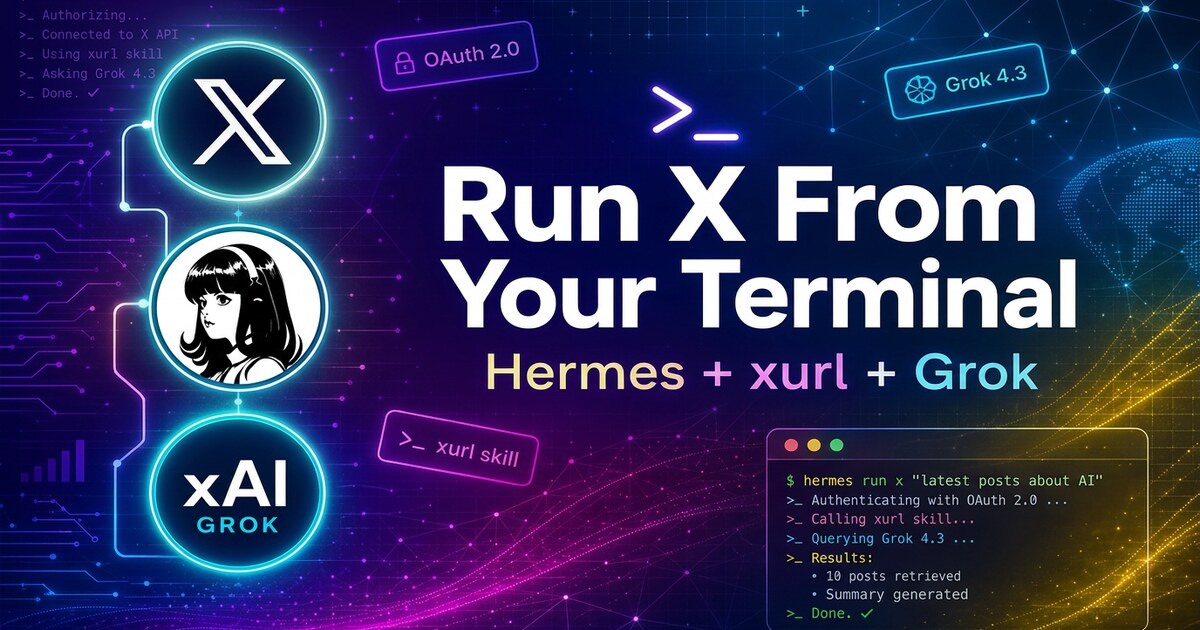
xDevelopers published a guide showing how to drive the X API from your terminal using an AI agent — no dashboards, no GUI, no SDK boilerplate. The stack: Hermes (an open-source terminal agent from Nous Research) + xurl (a CLI for the X API) + Grok (xAI's model). You type plain English. Hermes calls xurl. xurl talks to X. You get back posts, bookmarks, replies, searches — anything the X API can do.
It is the closest thing yet to "ChatGPT, but for running your X account from a shell."
Why it matters
What you need before you start
The 6-Step Setup
Step 1 — Install Hermes
Run the one-line installer from Nous Research. It drops the `hermes` binary onto your `PATH` and kicks off the setup wizard. After it finishes:
```bash
hermes
```
Step 2 — Run the Setup Wizard
Pick Quick setup. You'll configure three things:
1. Provider — choose `xAI` (or any supported provider)
2. API key — paste it; Hermes stores it in `~/.hermes/.env`
3. Default model — Hermes pulls the live model list; pick `grok-4.3` (or whichever you prefer)
> Pro tip from the guide: copy your key directly from `console.x.ai`. Pasting from a PDF can sneak invisible Unicode characters into your env file. Hermes auto-strips them and warns you, but it is cleaner to avoid it.
Skip the Telegram/Discord step unless you actually want a bot. You can come back later with `hermes setup gateway`.
Step 3 — Install xurl
`xurl` is a separate CLI. Pick whichever installer fits your system:
If you used the shell script, make sure `~/.local/bin` is on your `PATH`, then:
```bash
xurl --version
```
Step 4 — Authenticate xurl with the X API
Do this in your terminal directly, not inside Hermes.
a) Create an X developer app at `developer.x.com/en/portal/dashboard`:
b) Register the app with xurl and run OAuth:
```bash
xurl auth oauth2 --app my-app
```
This opens your browser. Authorize the app with your X account.
> ⚠️ Keep the `--app my-app` flag. Without it, the token may save to the default profile instead of the app holding your credentials — and every API call will then 401. Recent xurl releases warn you, but the safe move is to always pass `--app`.
c) Set the default app and verify:
```bash
xurl auth default my-app
xurl whoami
```
`whoami` should print your X username.
Step 5 — Launch Hermes
```bash
hermes
```
Inside, type `/help`. You'll see `/xurl` in the skill list.
Step 6 — Use the xurl Skill
Type `/xurl` to load it. Hermes verifies xurl is installed and authenticated. Then just talk:
Because it's an agent, you can chain: "Search posts about AI agents, summarize the top 5, then draft a reply to the best one." One prompt, one run, done.
Where everything lives
All Hermes config sits under `~/.hermes/`:
| Path | What it holds |
|---|---|
| `config.yaml` | Main settings (model, provider, agent behavior) |
| `.env` | API keys (`XAI_API_KEY`, etc.) |
| `cron/` | Scheduled tasks |
| `sessions/` | Chat history |
| `logs/` | Logs |
Troubleshooting cheat sheet
The 88 Labs take
This pattern — terminal agent + tool CLI + your own API keys — is exactly how serious operators will run social, sales, support, and ops workflows in 2026. Not from a SaaS dashboard. Not by clicking buttons. From a shell, conversationally, with full audit trail and zero vendor lock-in.
If you want a production-grade version of this for your business — connected to your CRM, your inbox, your X account, your billing — that's literally what we build. Deployed in days. No infrastructure for you to manage.
FAQ
Do I need a paid X API tier?
For most actions in this guide (posting, searching your own timeline, bookmarks), the Free or Basic developer tier is enough. Heavy search and write volume requires a paid tier — check the current X API pricing page.
Does Hermes only work with Grok?
No. The guide uses xAI for the example, but Hermes supports a long list of inference providers. The setup wizard is the same shape regardless — pick a provider, paste the key, choose a model.
Can I run this on Windows?
Officially the guide lists macOS and Linux. WSL is the simplest path on Windows.
Where is my data going?
Nowhere you didn't authorize. Hermes runs locally, your X OAuth token sits on your machine, and model calls go directly from your machine to the provider you chose.
Ready to see this in action?
Get a free, personalized demo of an AI agent built for YOUR business.
Get Your Free Demo